

Accessible travel has transformed dramatically with artificial intelligence offering practical solutions for real-world challenges. This guide presents proven tips and tools that address mobility, communication, and navigation barriers, drawing on insights from accessibility experts and technology specialists. Readers will discover actionable strategies to make every journey more manageable and inclusive.
- Decode Printed Words Offline Abroad
- Convert Site Photos into Hazard Fixes
- Navigate with Live View for Certainty
- Choose Calmer Routes with Smart Forecasts
- Offer 3D Walkthroughs to Reduce Uncertainty
- Pair Camera Text with Step-Free Maps
- Match ADA RVs with Custom GPTs
- Activate Crash Alerts for Solo Safety
- Turn Voice Needs into Housing Requirements
- Rely on Be My Eyes Narration
- Craft Precise Prompts to Pre-Qualify Options
- Ask Questions to Calm Travel Nerves
- Deploy Multilingual Agents for Instant Help
- Generate Clear Transport Guides for Everyone
- Adopt Visual Search to Replace Keywords
- Confirm Announcements and Onsite Details
- Audit Reservation Sites for WCAG Compliance
- Produce Plain-Language Content with Claude
- Plan Simpler Itineraries with MindTrip
- Let Microsoft’s App Narrate Your Surroundings
- Query Multiple Models for Sourced Clarity
- Personalize Interfaces for Diverse User Needs
- Deliver Predictive Localization for Inclusive Trips
- Verify Accessibility Claims across Sources
- Swap Short Messages for Seamless Dialogue
Decode Printed Words Offline Abroad
I recommend Google Translate’s camera feature because it translates printed and handwritten text in real time, removing language barriers that often limit access for travelers. On our Morocco trip with Women Travel Abroad it let us read menus, street signs, and an artisan’s handwritten note, turning confusion into genuine cultural exchange. That immediate access to information improves safety, navigation, and inclusion by allowing travelers to engage independently with their surroundings. I advise downloading the relevant language pack before travel so the feature works offline in areas with spotty internet.

Convert Site Photos into Hazard Fixes
I build glamping setups in remote places on six continents, and the biggest accessibility fail isn’t “luxury”–it’s guests arriving to a tent they can’t safely use at night (tripping hazards, confusing zippers, missed A/C port, etc.). One AI thing I use is ChatGPT’s vision feature to turn photos of a site + tent interior into an accessibility punch-list before a guest ever checks in.
I’ll snap 6-10 photos (entry path, threshold, guyline zones, stove/heat source area, bed height, lighting, and the A/C port side) and ask: “Identify hazards for low vision/mobility and suggest fixes with minimal cost.” It consistently flags the stuff operators miss: unmarked guylines at shin height, dark zipper pulls, cluttered “landing zone,” cords crossing walk paths, and lantern placement that creates glare instead of even light.
On one multi-tent deployment, that punch-list led us to add reflective guyline sleeves, move stakes out of the main approach, swap zipper pulls to oversized glow pulls, raise one bed 4″, and standardize a 36″ clear path from door to bed. Our incident reports (nighttime trips/near-falls) dropped to basically zero for that season, and guests who use canes/walkers specifically mentioned the entry/lighting felt “thought through.”

Navigate with Live View for Certainty
Transit in Southeast Asia is often a riddle. For a family, the “Logistical Friction” of a local Songthaew or a maze-like bus terminal is enough to keep people stuck on the curated tourist trail. We use the Live View AR feature in Google Maps to shatter that barrier.
It is about visual certainty. My 9-year-old son, Victor, uses the AR overlays to lead our family through transit nodes that aren’t written in English. This turns a confusing commute into a child-led navigation exercise. It is a core part of “The Victor Standard.” It makes the most complex local systems inclusive for even the youngest travelers.
This specific AI application removes the “Expertise Gap.” You don’t need a local guide to find the right pier or the correct alleyway anymore. You just need the camera. It promotes accessibility by giving every family member—regardless of age or language skills—the confidence to step off the grid. It turns transit into an adventure instead of a stressor.

Choose Calmer Routes with Smart Forecasts
As captain and owner of Blue Life Charters in Charleston, I’ve led hundreds of safe coastal charters on restored vessels like Llibertat, always prioritizing guest comfort amid variable Lowcountry seas.
I use AI-driven hyperlocal weather apps to scout calm routes, making boat trips accessible for guests prone to motion sickness or with mobility needs. For a recent bachelorette beach package, Windy app’s AI wave predictions helped me reroute around 2-foot swells, turning a potentially rough sail into smooth cruising.
I recommend Windy app’s ECMWF AI forecast feature specifically—it layers wind, waves, and swell data for precise, minute-by-minute previews up to 10 days out. This promotes inclusivity by empowering captains like me to adapt itineraries on the fly, ensuring families with kids under 12 (who require lifejackets per SC law) or vertigo sufferers enjoy worry-free outings without cancellations.

Offer 3D Walkthroughs to Reduce Uncertainty
I leverage my background in guest communications at Alliance Redwoods to ensure our 115-acre forest is inclusive for everyone, particularly neurodivergent travelers. My focus is on removing the “barrier of the unknown” that often prevents guests with high anxiety from engaging with immersive outdoor environments.
I recommend using Matterport’s AI-driven 3D digital twins to provide immersive, virtual walkthroughs of our redwood trails and “rustic luxury” cabins. This tool allows guests to familiarize themselves with the physical layout and sensory landscape of the property long before they arrive on-site.
This promotes accessibility by empowering guests to establish their own “rhythm of restoration” with confidence. By pre-visualizing the environment, we reduce the stress of new experiences, ensuring that our transformative “ReTREEt” programming is psychologically safe and welcoming for all.

Pair Camera Text with Step-Free Maps
One tool I rely on heavily is Google Translate’s camera feature combined with Google Maps’ accessibility information. When I’m travelling for business, especially through non-English speaking countries in Asia, I point my phone camera at signs, menus, and transport schedules and get instant translations overlaid on the screen. That alone removes a massive barrier.
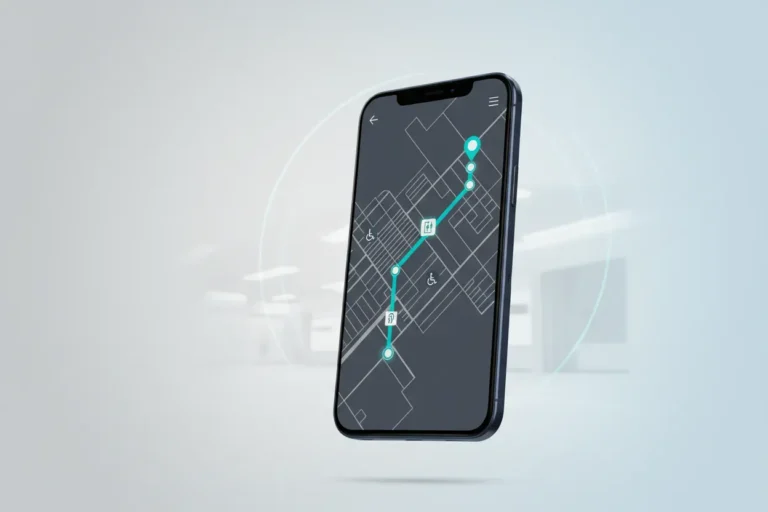
But the accessibility angle goes deeper than language. Google Maps now uses AI to surface wheelchair accessibility info, step-free routes, and elevator availability at transit stations. Last year I was in Tokyo for a tech conference and needed to navigate the subway system with a colleague who uses a wheelchair. The app routed us through stations with elevators and flagged which exits had step-free access. Without that AI-driven routing we would have been completely stuck trying to figure it out from station maps that were only in Japanese.
I’d recommend anyone travelling to enable the accessibility settings in Google Maps before their trip. It’s not perfect everywhere yet but in major cities the data is surprisingly good, and it keeps improving as more users contribute reviews. The combination of real-time translation and accessible route planning through a single free tool has genuinely made international travel more inclusive for our whole team.

Match ADA RVs with Custom GPTs
As owner of DFW RV Rentals, I’ve delivered RVs nationwide for disaster-displaced families, including ADA-accessible units for mobility needs after fires and floods.
I use ChatGPT’s custom GPT feature to match clients with the right RV type based on accessibility requirements like wheelchair ramps and slide-outs.
For a Fort Worth family post-flood, it recommended a spacious travel trailer with ADA bathroom in seconds, enabling quick insurance approval and setup on their property.
This promotes accessibility by instantly generating tailored floorplan visuals and checklists for non-mobile users, reducing overwhelm in crises and ensuring inclusive temporary housing for all.

Activate Crash Alerts for Solo Safety
One way AI helps make travel more accessible is through the crash detection technology used within the REALRIDER SOS app.
While the app is primarily designed for motorcyclists, the underlying technology helps make independent travel safer and more inclusive for riders who may be travelling alone or in remote areas.
The app uses intelligent algorithms and smartphone sensors to monitor a rider’s journey and recognise patterns that could indicate a serious crash. If an incident is detected, the rider is given the opportunity to cancel the alert. If they are unable to respond, the app can automatically send an alert with their location to emergency contacts and emergency services.
This technology promotes accessibility by providing an additional layer of reassurance for people who may otherwise feel less confident travelling independently. For example, riders travelling solo, exploring unfamiliar places, or those whose families worry about them being out on the road can all benefit from knowing there is a safety system working in the background.
The feature we recommend most is the automatic crash detection and emergency alert system, because it allows riders to focus on enjoying the journey while the technology quietly looks after their safety. By reducing the fear of what might happen if something goes wrong, it helps make travel more accessible and inclusive for a wider range of people.

Turn Voice Needs into Housing Requirements
I place a lot of medical travelers (patients, caregivers, and clinicians near places like Shirley Ryan AbilityLab), so accessibility for me usually means reducing friction once they’re in the city—not just in transit. The biggest “inclusive” win has been using ChatGPT (voice mode) as a real-time accessibility concierge.
I’ll have the guest speak their needs into it—”I’m on crutches, I need step-free routes, quiet places to work, and grocery delivery”—and it outputs a simple checklist and daily plan. Then I use that to match them to the right building features we know matter: elevator access, unit-controlled HVAC (older Chicago buildings can switch heat/AC seasonally), in-unit laundry, secure entry, and amenities like fitness centers/pools so routines don’t fall apart.
Concrete example: a caregiver staying 60-90 days asked for “walkable to appointments + minimal fatigue days.” We used ChatGPT to convert that into requirements (short rides/walks, in-building concierge/package receiving, streaming TV for downtime, fully equipped kitchen), and placed them in Streeterville so it was a quick trip to major medical centers instead of a multi-transfer commute.
Tool/feature I recommend: ChatGPT voice + saved prompt template (“Ask me 10 questions to build my accessibility profile, then output housing + neighborhood requirements”). It promotes accessibility by translating vague needs into specific, actionable specs so I can place someone into a move-in-ready apartment that actually supports recovery and independence.

Rely on Be My Eyes Narration
I use Be My Eyes, an AI-powered app, to navigate unfamiliar cities when traveling solo. Its GPT-4 Vision feature gives me real-time audio descriptions of my surroundings. I just point my camera at signs, obstacles, or landmarks and it narrates everything instantly: street names, menu translations, building entrances, whatever I need.
This promotes independence for blind or low-vision travelers by replacing guesswork with clear, voice-guided information. Instead of relying on asking strangers or feeling isolated in new places, I get immediate details that let me move confidently through cities like Kathmandu or Sydney.
The app also connects me to volunteers who add human context when the AI misses nuance, which makes it even more reliable. It’s completely free and removes the text barriers that make navigation difficult for visually impaired travelers.

Craft Precise Prompts to Pre-Qualify Options
Running a digital marketing agency for 25+ years means I’ve spent a lot of time thinking about how people find and process information – and that translates directly into smarter travel planning.
The specific tool I keep coming back to is Google’s AI Overviews combined with highly detailed search prompts. Instead of hunting through 10 different travel sites, I’ll query something like: “List accessible beachfront hotels in Hilton Head with step-free entrances, elevator access, roll-in showers, and proximity to paved waterfront paths.” The AI pre-qualifies the list before I visit a single website.
What makes this genuinely powerful for accessibility is the pre-qualification angle. Travelers with specific needs historically had to dig through each site manually, often hitting dead ends. A detailed AI prompt surfaces the criteria upfront, so by the time you land on a hotel’s site, you’re already 80% of the way to a decision – you’re just confirming the experience feels right.
The practical tip: be ruthlessly specific in your prompts. Vague searches get vague results. The more criteria you front-load – mobility requirements, distance thresholds, amenity specifics – the less guesswork you’re doing mid-trip planning.

Ask Questions to Calm Travel Nerves
One of the most meaningful ways AI improves accessibility in travel is by reducing anxiety.
A lot of people feel overwhelmed by the unknowns of travel. They have dozens of small questions that they might not feel comfortable asking or cannot easily find answers to. Tools like ChatGPT allow people to ask those questions freely, whether it is about safety, logistics, cultural norms, or what to expect day to day.
That sense of preparation builds confidence. When people feel like they understand what is ahead, they are far more likely to take the trip in the first place.
In many cases, that emotional clarity is even more valuable than the itinerary itself. AI is not perfect and can make mistakes, so it should not be relied on blindly for planning. But as a way to reduce uncertainty and help people feel more at ease, it is incredibly powerful.
Accessibility is not just physical. It is psychological. AI helps lower that barrier.

Deploy Multilingual Agents for Instant Help
As co-founder of S9 Consulting, where we build Vapi-powered AI inbound agents for 24/7 multilingual support, I use them to make my Boston-to-Jacksonville business trips inclusive for neurodiverse team members.
I deploy custom agents trained on accessibility policies–like clear audio instructions and simplified Spanish/English responses–to handle real-time travel queries via voice or text.
For Dyslexia Alliance for Black Children project, our agent cut inquiry response times by 80%, enabling event attendees to get venue navigation and quiet space details instantly without reading overload.
This promotes accessibility by scaling personalized, policy-aware help across channels, freeing users from barriers like complex apps or wait times.

Generate Clear Transport Guides for Everyone
With 20+ years in travel web development and leading SJD Taxi in Los Cabos, I use AI to generate detailed editorial content on transportation options for diverse travelers.
I recommend AI generation assistance, as our editorial team harnesses it for blog posts like the Ultimate Guide to Cabo Airport Shuttles.
This promotes inclusivity by clearly detailing policies—kids need private transfers for seats (none in shared shuttles), pets/service animals require private rides with welcomes like cold water—empowering families and pet owners to book confidently without surprises.

Adopt Visual Search to Replace Keywords
AI can make travel more accessible by reducing the amount of typing, reading, and menu navigation required to find what you need. One specific feature I recommend is AI-powered visual search, where a traveler can upload a photo and get relevant results without having to describe it in words. In our work integrating visual search for a client’s e-commerce experience, we saw how this helped people with dyslexia or language processing difficulties move forward without the friction of keyword search. It can also support travelers with mobility challenges who rely on adaptive devices, since a simple image upload can replace multiple steps. The outcome is a more inclusive experience because people can search and decide on their own terms, with fewer barriers.

Confirm Announcements and Onsite Details
The application that shifted my thinking most significantly about AI and accessibility in travel was not one I discovered for myself but through watching someone else navigate a situation I had never had to think carefully about before.
I was traveling with a colleague who is hard of hearing, and watching her move through airports, hotels, and unfamiliar cities made visible an enormous number of friction points I had simply never registered because they had never applied to me. Announcement systems, verbal check-in instructions, restaurant interactions, tour guides. An enormous proportion of travel infrastructure assumes hearing as a baseline in ways that become exhausting to constantly work around.
The tool that made a genuine and immediate difference for her was using an AI powered real time transcription app that converted ambient speech and announcements into readable text on her phone screen with enough accuracy and speed to be practically useful rather than just theoretically interesting. Combined with an AI travel assistant that could pre-research accessibility specific details about specific venues, transport options, and accommodation before arrival, the experience of planning and moving through unfamiliar environments became substantially less draining.
What I took from watching that is that accessibility in travel is largely an information problem. The barriers are rarely insurmountable physically. They are insurmountable because the information needed to navigate them is delivered in formats that exclude certain people by default.
My recommendation to anyone traveling with accessibility needs or supporting someone who is, is to use AI during the planning phase specifically to ask granular questions about real conditions on the ground rather than relying on official accessibility statements which are frequently optimistic in ways that do not survive contact with reality.

Audit Reservation Sites for WCAG Compliance
As founder of Sundance Networks, with AI solutions and WCAG-compliant web accessibility expertise serving hotel management clients, I use AI to audit travel booking sites for my business trips between Santa Fe and Stroudsburg. I recommend Google’s Lighthouse tool via Chrome DevTools—its AI-driven audits score WCAG compliance in seconds. It flags issues like poor color contrast or missing form labels on hotel pages. For a recent client visit, it guided me to a fully navigable site via screen readers, ensuring inclusive booking for visually impaired travelers while cutting my selection time by 70%.

Produce Plain-Language Content with Claude
I recommend using Claude to run accessibility-focused audits and to generate accessible content for travel websites and listings. I use Claude for drafts and pulling audit data, which can be applied to identify missing pages or unclear service descriptions that confuse travelers with disabilities. From those audit outputs you can create plain-language descriptions, consistent location details, and image captions or alt text that make it easier for assistive technologies to convey information. Use the AI drafts as a starting point and edit them for accuracy and local context before publishing.

Plan Simpler Itineraries with MindTrip
One way I use AI to make travel more accessible is by using travel planning tools like MindTrip to simplify complex travel planning and help spark ideas, and map out routes.
For example, I can input a destination and a few ideas for the itinerary that includes asking for walkable areas, transportation options, and family-friendly pacing. This can be especially helpful for travelers with mobility limitations or those traveling with kids.
AI tools remove some of the leg work and friction that can make travel feel inaccessible in the first place.

Let Microsoft’s App Narrate Your Surroundings
Travel accessibility is not an added feature; rather, it is about equal access to information for people traveling. One of the best ways to achieve this is by using Microsoft’s Seeing AI. This app is like having an ever-changing travel companion that describes everything around you in real time using what it calls ‘augmented reality’ through its ability to recognize images via the camera on your phone. So, for anyone who is visually impaired and has trouble reading, Seeing AI allows the user to access documents such as a menu or recognize paper money from various countries or tell what is around them.
Great enterprise AI implementation requires that you remove friction through technology, not add friction by creating more complexity. Seeing AI does an excellent job of removing friction by providing the user with a reliable and consistent narrator who can quickly and easily provide navigation in a strange city or museum, providing the user with a sense of independence.
Travel provides an experience full of potential. Technology should provide the pathway for every traveler and their ability to travel without limits. Thoughtful application of AI will not only create better tools for a business, it will create more openness in our world for all.

Query Multiple Models for Sourced Clarity
I travel full-time across Europe in a 1998 campervan with no fixed base, which means I’m constantly crossing borders, switching phone plans, decoding local laws and navigating situations that Google gives me five conflicting answers for.
AI changed that completely. I use ChatGPT, Grok and Gemini as a knowledgeable travel companion on the road. Not for generic tips, but for the specific, nuanced questions that matter when you’re actually moving through a country.
Crossing into Kosovo recently, I wasn’t sure about car insurance requirements. A quick Grok deep-research gave me the answer: the government assumes liability at the border, so no separate policy is needed. Verified with a direct government link the AI provided. That kind of clarity used to take an hour of unreliable Googling.
The same goes for ZTL zones in Italy, visa rules between Balkan countries, even whether beach fires are legal in a specific region. When I’m unsure if the AI is right, I ask it to source its answer with direct links so I can verify myself.
It doesn’t replace research. It makes research actually work.
Personalize Interfaces for Diverse User Needs
AI can make travel more accessible by powering an adaptive interface that adjusts content and controls to individual needs. I recommend a specific feature: an AI-driven interface adaptivity layer that personalizes layout, language, and interaction patterns in real time. As a UX professional, I use AI analytics to evaluate user behavior and then tailor content and interface elements to match user preferences. In practice this feature monitors interaction patterns and adjusts text size, control prominence, and information density automatically. It can also surface simplified language, alternative navigation flows, and higher contrast when those cues match a user’s needs. Using AI alongside A/B testing lets the system learn which variants work best for different users. That reduces the need for travelers to hunt through settings and makes the experience more inclusive by default. Travel products that adopt this approach can serve a wider range of abilities with less friction and more dignity for the user.

Deliver Predictive Localization for Inclusive Trips
I believe AI’s greatest contribution to travel accessibility is the elimination of ‘Information Asymmetry.’ We leverage AI-driven data synthesis to provide travelers with hyper-localized, real-time insights that traditional search engines often overlook.
The specific feature I recommend is ‘AI-Driven Predictive Localization.’ This approach analyzes vast datasets to offer verified, inclusive environments tailored to a traveler’s specific health or mobility needs. For international patients or niche travelers, accessibility isn’t just about physical infrastructure; it’s about having a digital ‘bridge’ that ensures they can navigate new destinations with total confidence. By bridging the gap between clinical requirements and travel logistics, we promote a ‘Trust-as-a-Service’ model, making global travel truly inclusive for everyone.

Verify Accessibility Claims across Sources
I recommend using LLM powered validation to verify accessibility amenity claims in hotel listings. Properties often self report features like wheelchair access, roll in showers, or elevator availability, but the metadata is frequently inaccurate or incomplete. An AI layer can cross reference listing descriptions, guest reviews, and photos to confirm whether those amenities actually exist and function as described. This reduces the risk of a traveler with mobility or sensory needs arriving at a property that can’t accommodate them, which is a situation that’s not just inconvenient but can derail an entire trip.
At Tripvento, we use multi source validation in our hotel ranking API to score properties against specific traveler intent signals rather than trusting raw metadata, and applying that approach to accessibility claims is a natural extension.

Swap Short Messages for Seamless Dialogue
A moment that stands out happened during a visit to Seoul. We used Microsoft Translator while speaking with a local taxi driver. The app converted short voice messages between languages instantly. The driver appreciated the effort and responded warmly.
What makes this feature helpful is its simplicity during real conversations. Neither person needs technical knowledge to communicate clearly. Each sentence appears translated while preserving the natural tone. Accessibility grows when communication feels respectful rather than forced.


